Aircall Alternative for Small Sales Team: Porting Checks

I'd approve the number move before the replacement
My answer: don't cancel Aircall until the port has completed, you've tested the transferred numbers and required services, and you've confirmed what must remain active in the old account. A cheaper dialer isn't a saving if prospects call your main number and reach nobody.
If you're looking for an aircall alternative for small sales team workflows, I'd separate two decisions: which system reps should use, and whether your business numbers are ready to move. A good demo answers neither question completely.
My initial go/no-go checklist is short:
- Can an authorized person produce the account records for every number being moved?
- Has the receiving provider confirmed eligibility and its documentation requirements?
- Can the replacement handle your actual inbound, outbound, voicemail, and messaging workflow?
- Does the three-year cost justify the disruption?
I've built the custom route. I built a React power dialer that replaced a roughly $30,000-a-year Kixie subscription. The build cost $10,000—a third of one year's licensing—so it paid for itself in about four months against that licensing spend.
This was a real client project; the client is unnamed, the subscription figure is approximate, and results vary.
The dialer supported single-lead calls or up to 10 lines at once, custom lead lists, SMS templates, voicemail drops, and Zapier webhooks for follow-ups and system updates. It shipped in weeks, with unlimited users and no monthly licensing fees for the custom software.
That's evidence for replacing an expensive sales workflow, not evidence that your Aircall numbers will port successfully. It also doesn't make carrier usage, hosting, or maintenance free. I'd check those separately before recommending the same path to you.
Your phone number isn't the same thing as your dialer
I treat the phone interface, carrier service, and business records as separate pieces. Replacing the screen reps click doesn't automatically transfer the number or reproduce everything attached to it.
A number port changes where the number is served. It doesn't, by itself, migrate historical recordings, rebuild routing rules, reconnect your CRM, or prove SMS works on the receiving service.
That's why I'd reject a proposal that says only “we'll migrate your phones.” Which numbers? Which records? Which call paths?
A custom interface could use React with a communications provider such as Twilio. You're buying control over the workflow, not escaping the need for a carrier. Provider coverage, account requirements, messaging registration, and usage charges still need checking.
For timing, Dialpad's porting FAQ, updated in 2025, gives a local U.S. number benchmark of 3–5 business days with accurate information, generally around seven days to complete. Its toll-free benchmark is 5–10 business days. Those are planning references, not promises for an Aircall departure or another receiving provider.
I wouldn't schedule a sales campaign around an estimated completion date. I'd schedule the cutover around the receiving provider's confirmed window and staffed testing time.
The wider Aircall replacement options matter after those constraints are visible. Otherwise, you're comparing interfaces while the business-critical dependency stays hidden.
My Aircall number migration checklist starts with authority
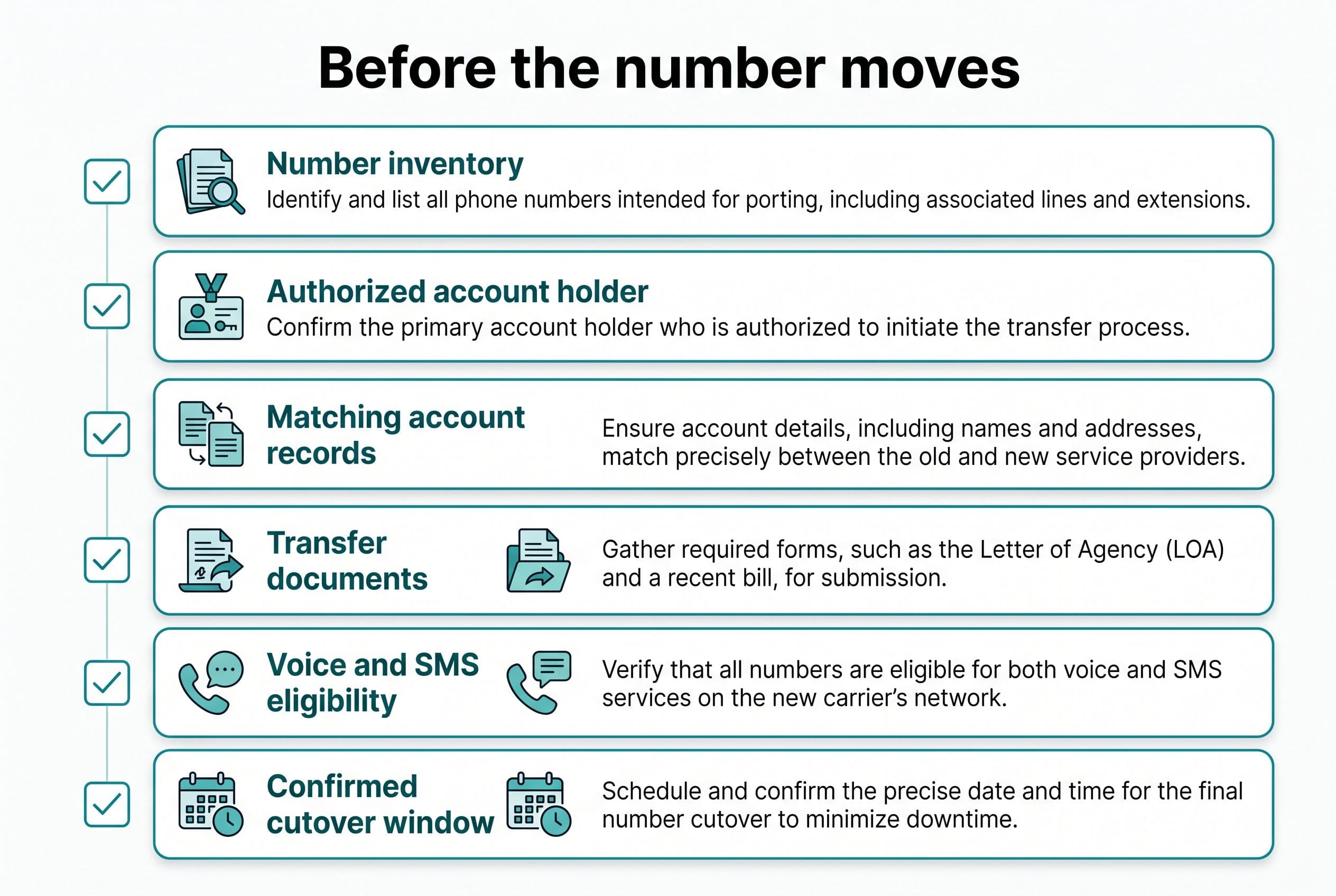
For business phone porting readiness, I'd want one shared worksheet—not account details scattered across a rep's inbox and a former employee's login.
Records I'd verify before submitting anything
- Number inventory: Every local and toll-free number, its purpose, current routing, and whether it's used for calls, SMS, or both.
- Authorized account holder: The legal business name and person permitted to approve the transfer.
- Carrier-matching account details: Account number, service address, billing telephone number, and any required porting PIN or passcode, confirmed against the current provider's records.
- Supporting documents: A recent bill, a customer service record if available or required, and the receiving provider's required authorization form.
- Number ownership documentation: Evidence of your business's right to control and transfer each number—not merely a screenshot showing it in a dashboard.
- Contract position: Renewal dates, cancellation requirements, remaining commitments, and what happens to any numbers left behind.
I'd have the receiving provider confirm the exact document requirements. They're not identical for every number type or transfer.
I'd also check inside the current Aircall account or with Aircall support for the exact port-out records, export options and limits, and cancellation notice and timing rules. I wouldn't assume Aircall itself is the losing carrier for every number; I'd confirm whether an underlying carrier or number provider needs to be identified on the port request.
Conditions that stop my recommendation
I'd pause if the business can't establish transfer authority, the receiving provider hasn't confirmed support for a required number, or nobody can explain the current inbound routing.
I'd also pause if a number supports required fax, alarm, emergency-calling, or other functions that haven't been checked. A sales dialer replacement isn't permission to break another business service.
Messaging deserves its own check. I'd confirm SMS capability, any applicable registration requirements, and whether messaging activation follows a different schedule from voice. A completed voice port isn't an SMS acceptance test.
Finally, I'd establish how recordings, messages, and call history can be exported and retained before changing service. If retention matters to your contracts or compliance obligations, I'd have the responsible person approve that plan before deletion or cancellation.
What keeping Aircall costs over the next three years
Before I recommend a sales phone replacement cutover, I'd price staying put. Per-seat licensing that rises whenever you hire can hurt, but replacing a subscription also creates costs that a build-only quote can hide.
Here's illustrative arithmetic, not Aircall pricing, a client result, or a quote. I'm assuming a current phone subscription of $600 a month, $100 in monthly add-ons, and five hours of workaround labor each month valued at $40 an hour.
For comparison, I'm assuming a $10,000 scoped custom build with the agreed migration work included. The operating and maintenance figures below are owner planning allowances, not published provider prices or BuiltInWeeks service quotes.
| Three-year cost item | Keep current setup | Scoped custom replacement |
|---|---|---|
| Subscription: $600 × 36 months | $21,600 | — |
| Add-ons: $100 × 36 months | $3,600 | — |
| Workarounds: 5 hours × $40 × 36 months | $7,200 | — |
| Build, including agreed migration scope | — | $10,000 |
| Carrier usage and hosting allowance: $100 × 36 | — | $3,600 |
| Maintenance reserve: $100 × 36 | — | $3,600 |
| One month of overlapping subscription and add-ons | — | $700 |
| Internal transition work: 10 hours × $40 | — | $400 |
| Total modeled cost | $32,400 | $18,300 |
The modeled difference is $14,100. But $7,200 of the current-side total is staff time, not a subscription refund. That benefit exists only if the replacement removes the work and those hours become useful elsewhere.
I haven't included residual workarounds in the replacement column. If the new system still needs manual cleanup, that labor belongs there. Taxes, financing, unusual carrier charges, and retained subscriptions also need adding where applicable.
Staying with SaaS wins when the bill is too small to repay the build, the existing workflow already fits, or an essential integration can't be replaced economically. Don't hire me to recreate a working phone system just because owning code sounds better.
For a low-cost reference, I'd use $15 per user per month, billed annually, as an illustrative Dialpad Connect Standard price—not a verified September 2026 quote. I'd check Dialpad's small-business phone page before budgeting. At that assumed price, five seats would be $2,700 over three years in base subscription arithmetic, before taxes, extras, or changes—not a claim of feature equivalence.
That's a very different starting point from the Kixie project. My broader guide to owning your software instead of renting it addresses that trade, and the three-year build-versus-buy calculation helps separate cash savings from hoped-for productivity.
I'd choose between staying, switching, and building
An aircall alternative for small sales team use doesn't have to mean custom software. I'd compare three paths against your actual acceptance tests.
Stay and repair the workflow. I'd favor this when the numbers and integrations work, and the friction is a routing configuration, unused add-on, or avoidable manual process. Keeping a functioning system can beat paying for a migration.
Switch to another hosted phone service. I'd favor this when calling requirements are ordinary and another product meets them without custom development. The Dialpad alternatives comparison is useful when checking whether basic business calling or sales-specific dialing is the real requirement; I wouldn't treat those as interchangeable.
Build a focused sales interface on communications infrastructure. I'd favor this when list assignment, follow-ups, rep workflow, and CRM updates create enough recurring cost to justify ownership. I'd build the repeated work—not every setting in Aircall.
My published fixed-price build ranges are:
- Simple: $2,500–$10,000, delivered in 1–2 weeks.
- Medium: $5,000–$15,000, delivered in 2–4 weeks.
- Advanced: $10,000–$20,000, delivered in 4–6 weeks.
Those aren't blanket prices for phone migrations. A focused dashboard and a multi-line dialer are different scopes, and carrier approval can extend the calendar beyond development.
I use AI-assisted development to ship faster, but that doesn't turn carrier coordination into a coding task. I'd keep the build schedule and porting dependencies visible separately.
For the software work, I'd plan your involvement around a scoping call, a short weekly review, and a final test pass. Phone migration also needs an authorized account contact and someone available during cutover. I'd spell that work out instead of pretending your team has nothing to do.
My cutover sequence tests calls before risking the main number
For the common case—a small U.S. team moving an established sales workflow—I'd use this sequence.
1. Preserve the current configuration. I'd record routing, business hours, voicemail destinations, rep assignments, integrations, and escalation contacts. I'd also confirm data exports and retention before changing the account.
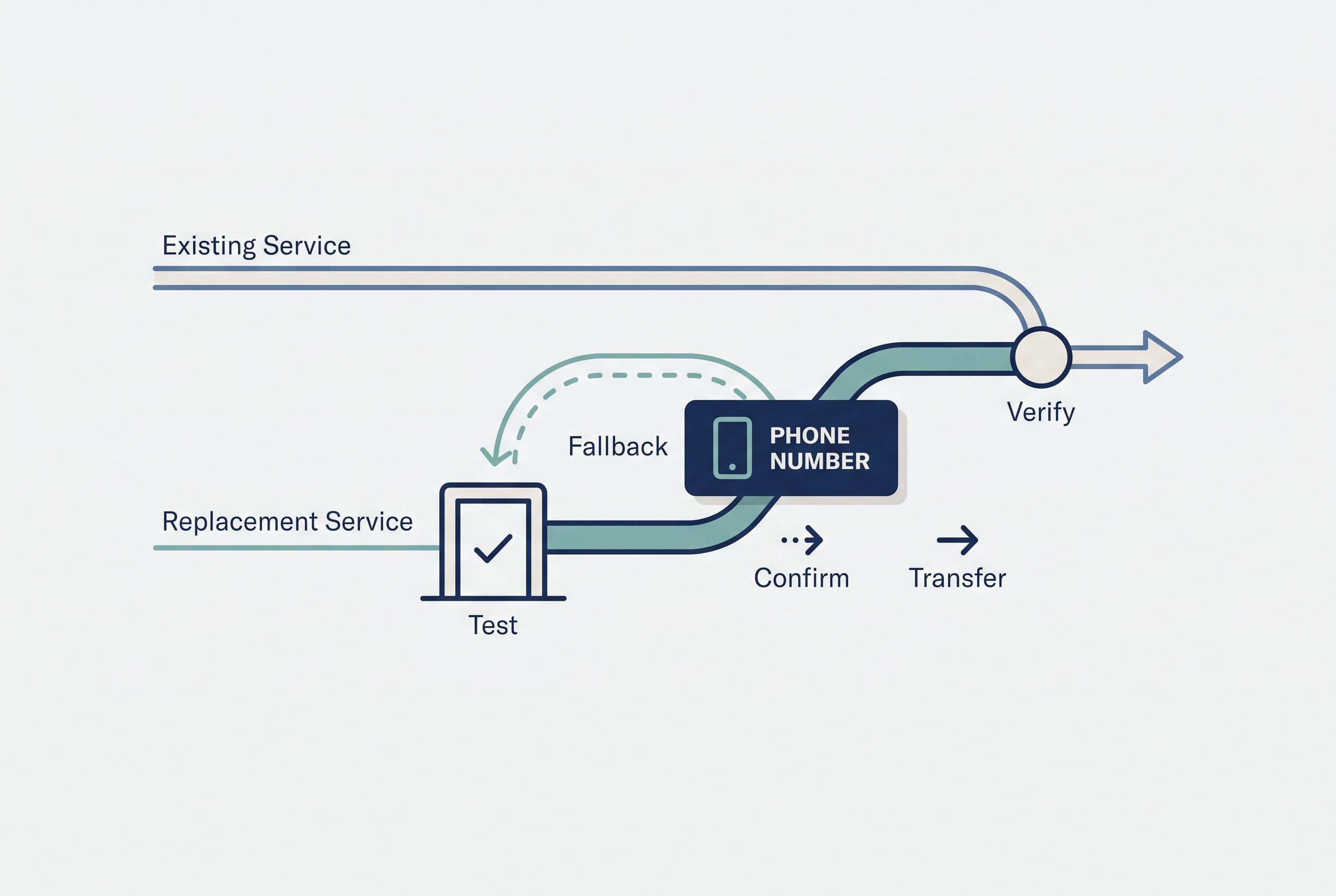
2. Build and test on temporary numbers. I'd use a staging environment for the software and controlled test calls for the phone paths. Reps should be able to demonstrate their normal work before the public number moves.
3. Run call routing acceptance tests. I'd require a named tester and a recorded result for each relevant case:
- An inbound call during business hours reaches the intended rep or queue.
- A busy or unanswered call follows the agreed fallback.
- An after-hours call reaches the correct destination.
- An outbound call presents the expected caller ID, checked on external phones.
- A missed call creates the expected follow-up record.
- A voicemail is stored and reaches the right person.
- An SMS can be sent and received where messaging is required and activated.
- The CRM receives the correct call record without duplicates in the tested retry scenarios.
That last item is where I'd inspect webhooks, API rate limits, and retry handling. My guide to connecting business systems without duplicate entry covers the integration work that a dialer's feature list can obscure.
4. Submit the port with checked records. I'd keep the current service active and track requests for corrections. A submitted request isn't a confirmed cutover.
5. Staff the confirmed window. I'd assign one person to test external inbound and outbound calls, one contact for the receiving provider, and a clear route for reps to report failures. For a tiny team, one person may cover several roles, but the responsibilities still need names.
6. Re-test the transferred numbers before cancellation. I'd verify voice, routing, messaging status, and integrations on the actual numbers. Then I'd confirm what remains in the old account before authorizing closure.
My fallback plan wouldn't promise an instant reverse port. I'd document provider-supported forwarding where available, a temporary contact route, and escalation steps. A fallback has to work under the failure you're planning for.
The handoff should survive a different developer
I'd want the final packet to include the number inventory, provider confirmations, routing map, acceptance-test results, export locations, account contacts, and unresolved issues. Credentials belong in secure access management, not a shared worksheet.
For a custom build, I'd also hand over deployment instructions, webhook configuration, operating costs, and maintenance notes. The source and handoff documentation should let another developer take over without reverse-engineering the business.
My fixed price means overruns on the agreed scope are my problem, not yours. The code lives in your repo from day one; the contract transfers ownership of the custom code and source on final payment. I retain only generic reusable components, while third-party libraries and services keep their own license terms.
That distinction matters. Repo access isn't legal ownership, and owning the application doesn't remove the carrier relationship.
I also won't bill months of discovery just to reveal whether a project fits your budget. The free estimator shows its range on screen before asking who you are—not after collecting your email.
This week, pull your latest Aircall bill, then use the ninety-second free project estimator to price the replacement scope: range first, form second, with a fixed quote back inside a business day after you submit the project details. You'll have a starting number to compare against the subscription before committing to a number move.
Want a real number for your own project?
Answer a few questions and get an instant price range and timeline. No call required, no obligation.
Get your instant estimateTalk through your software project with MattFrequently asked questions
- What is the best Aircall alternative for a small sales team?
- I'd choose based on number eligibility, routing, sales workflow, integrations, and three-year cost—not the demo alone. Another hosted phone service usually makes more sense when standard features fit; custom software deserves a look when subscription costs and repetitive work justify the build.
- Can I keep my business phone numbers when leaving Aircall?
- I'd have the receiving provider confirm portability for every number before committing. You need matching account records, transfer authority, and the documents that provider requires. Keep the current service active while the transfer is underway.
- How long does porting a business phone number take?
- Dialpad's 2025 guidance gives a local U.S. benchmark of 3–5 business days with accurate information, generally around seven days to complete, and 5–10 business days for toll-free numbers. Those aren't guarantees for another provider or your specific transfer. I'd use the receiving provider's confirmed window for cutover planning.
- Does porting my number also move SMS and call recordings?
- I'd treat these as separate workstreams. Confirm messaging support and activation requirements with the receiving provider, and arrange exports and retention for recordings and call history before closing the old account.
- What should I test before a sales phone replacement cutover?
- I'd test inbound routing, busy and unanswered calls, after-hours behavior, outbound caller ID, voicemail, missed-call follow-ups, SMS, and CRM logging. Test on temporary numbers first, then repeat the checks on the transferred business numbers before canceling the old service.
What would software built for your business look like?
Replacing a subscription, fixing software that fell short, or adding AI to your workflow? Talk through the scope with Matt.
Matt Brody
Founder, BuiltInWeeks
I build custom software for small and mid-sized businesses — the kind you own outright instead of renting by the seat. Fixed price, delivered in weeks, source code handed over at the end.
More about how I workKeep reading

Cost to Replace Airtable: $5K–$15K + $40/Mo Hosting
Replacing Airtable with an app you own usually costs $5,000–$15,000, takes 2–4 weeks, and runs about $40 a month to host. For plenty of teams it still doesn't pay back. Here's the seat math, a pre-flight checklist, and the conditions that should keep you renting.
Read more
Airtable Alternative for Small Business: AI Intake Checks
I'd replace the document workflow before replacing every Airtable base. Here's how I decide whether AI intake deserves a custom build—and what has to stay under human control.
Read more
Buildertrend Alternative for Small Remodeler: V1 Scope
I'd replace the change-order bottleneck, not rebuild an entire construction platform. Here's how I'd scope approvals, payment milestones, and a client portal—and check whether replacing Buildertrend pays.
Read more